info@aulasmoodle.com +51 965 242 448 24/7 support for clients
Moodle Courses

Moodle Course for Administrators

Gain the knowledge you need to install, administer, and maintain your Moodle platform and resolve the most common technical issues.

The Moodle for Administrators course gives participants a set of solutions for implementing virtual platforms. It's practical and fully online: it starts with installing the platform and continues with user and course management, site administration, and other topics.

  • +600 implementations
  • +18 countries
  • +1500 consultations
  • 24/7 support
Moodle for Administrators course: platform management and configuration

100% Online

Study online using the "learning by doing" methodology.

Starting with Installation

Install Moodle step by step on a hosting server.

Security and Performance

Passwords, reCAPTCHA, backups, cron, and cache.

9-Module Syllabus

Users, courses, files, themes, extensions, and reports.

The Course

Administer Your Moodle Platform with Confidence

Administering Moodle involves much more than creating courses: you need to manage users and permissions, maintain the platform's appearance, keep it secure, schedule tasks, and choose extensions wisely.

This course gives you a practical, structured path to master those tasks, so you can keep your platform running and resolve the most common technical issues on your own.

How You'll Learn

Course Methodology

"Learning by Doing" Methodology

A 100% online course where each topic is immediately applied in hands-on exercises.

Experienced Instructors

Professionals who use Moodle in real-world cases and share that practical knowledge with you.

Materials and Practice Environment

You get educational materials and can do your hands-on practice on our servers, with nothing to install.

Syllabus

Moodle for Administrators Course Syllabus

Module1Moodle Installation and First Steps
  • Definition and features.
  • Installation types and server requirements.
  • Step-by-step installation on a hosting server.
  • Site navigation and administration.
  • Language and time zone settings.
Module2User and Role Management
  • User profile and preferences.
  • How to add new users.
  • How to create custom fields.
  • Bulk user import.
  • What cohorts are and how to manage them.
  • Roles, contexts, and permissions.
  • How to assign administrators and global roles.
Module3Course and Grade Management
  • How to create and organize course categories.
  • How to create and configure a new course.
  • How to create courses in bulk.
  • How to enroll students in a course.
  • Self-enrollment and guest access.
  • Grade settings.
  • Grade calculation types.
Module4File Management
  • Where and how to upload files to the platform.
  • How private files work.
  • How to limit file upload size.
  • Creating file repositories.
Module5Customizing the Look: Themes
  • Logo, header, footer, and navigation settings.
  • Home page customization.
  • How to add and configure blocks.
  • How to find and install new themes for the platform.
  • How to configure and customize the installed theme.
Module6Communications Management
  • How messaging and notifications work.
  • Email notification settings.
Module7Security and Performance
  • Password policy configuration.
  • How to disable guest access.
  • How to enable Google reCAPTCHA.
  • Course backups and restoration.
  • Cron and scheduled task configuration.
  • Cache cleanup.
Module8Extension Management
  • Types of extensions.
  • How to install third-party extensions.
  • How to choose the right extension.
  • The most popular extensions.
Module9Reports
  • Event types.
  • Report types.

Go to CourseAsk on WhatsApp

Next Step

Prefer to Outsource Technical Administration?

If your organization needs ongoing support, we can handle your Moodle's support and maintenance with 24/7 service, or host your platform on managed cloud infrastructure. We also offer custom training for your institution's technical team.

Is it for you?

This service is ideal if…

  • Ideal if you'll be responsible for administering your institution's Moodle platform.
  • Ideal if you work in IT and need to install and maintain Moodle.
  • Ideal if you want to manage users, roles, and enrollments in bulk.
  • Ideal if you're looking to improve your Moodle site's security and performance.
How we work

Our process

  1. 1
    Review the Syllabus

    Confirm that the nine modules match your responsibilities.

  2. 2
    Enroll Online

    Access the course through the "Go to Course" button on EducarteLab.

  3. 3
    Practice on Servers

    Install and configure Moodle in our practice environment.

  4. 4
    Administer Your Platform

    Apply what you've learned to your organization's Moodle.

Portfolio

Projects

Platforms we designed, implemented and operate for universities, public institutions and companies.

See all projects →
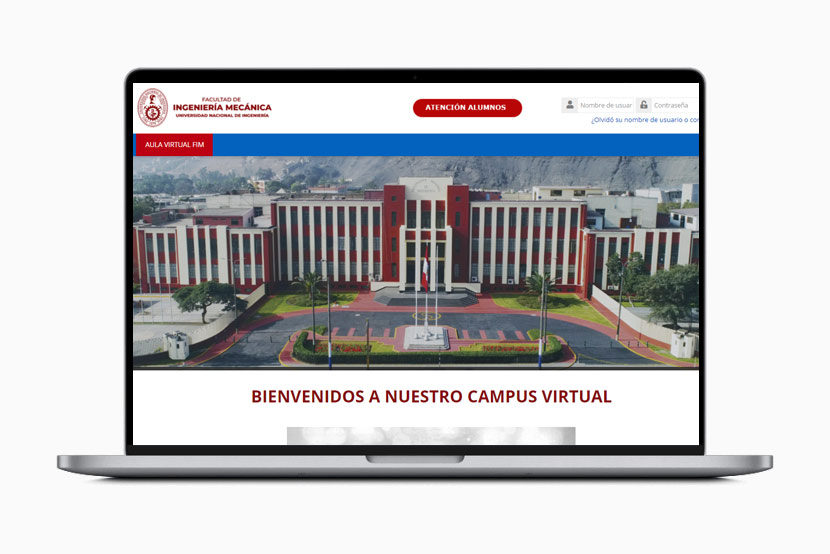
Moodle virtual campus of the Facultad de Ingeniería Mecánica at UNI

Facultad de Ingeniería Mecánica - UNI

Implementation and scalable cloud infrastructure for Moodle. Module development.

www.campusvirtualfim.com
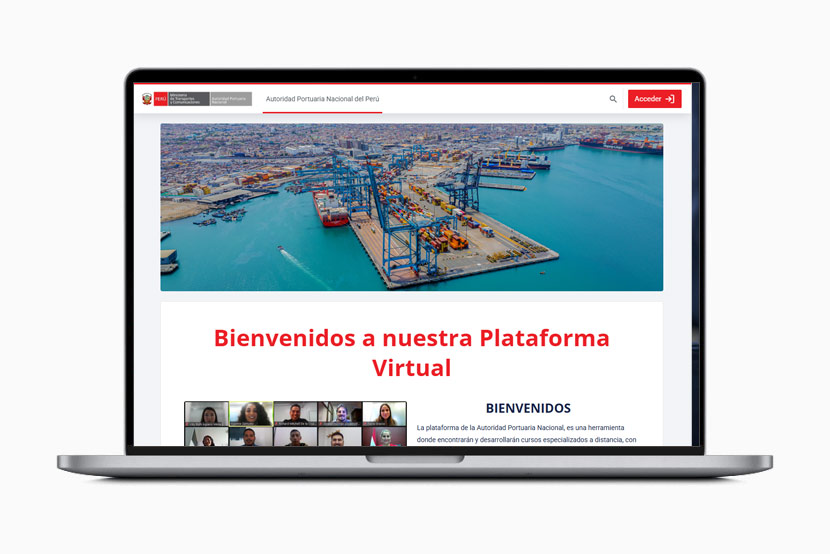
Moodle virtual campus of the Autoridad Portuaria Nacional

Autoridad Portuaria Nacional

Design and implementation of scalable cloud architecture for Moodle.

campusvirtual.apn.gob.pe

Astrum Vita's Moodle virtual platform

Astrum Vita

Design and implementation of scalable cloud architecture for Moodle.

avtraining.pe
Moodle platform of the International Institute of Ports and Cities (France)

International Institute of Ports and Cities - France

Implementation and scalable cloud infrastructure for Moodle.

villesportuairesdurables.com

Moodle virtual classroom of Escuela de Posgrado GERENS

Escuela de Posgrado - GERENS

Design and implementation of scalable cloud architecture for Moodle.

www.gerens.edu.pe
Clients

They trust us

  • UNIVERSIDAD NACIONAL DE INGENIERIA - FIM
  • universidad de ciencias y humanidades
  • Cliente de AulasMoodle
  • bitel
  • reconstruccion con cambios
  • autoridad portuaria nacional
  • Cliente de AulasMoodle
  • remax paraguay
  • CAMPUS WALSH PERU
  • ferrenergy
  • stimma
  • CENERGIA
  • Human Growth
  • britanico
  • MARINA DE GUERRA DEL PERU
  • CHACONGESA
  • CREDIFAMILIA
  • MININSTERIO DEL INTERIOR
  • AUTORIDAD DE TRANSPORTE URBANO
  • buplat
  • ORDEN HOSPITALARIA SAN JUAN DE DIOS
  • ENABLE
  • gesnext
  • Cliente de AulasMoodle
FAQ

Moodle Course for Administrators: frequently asked questions

Can’t find your answer? Write to us and a specialist will reply.

Do I need to be a programmer to take the course?
No. The course focuses on installing, configuring, and administering Moodle from the platform and the hosting server, with step-by-step explanations.
Will I learn to install Moodle?
Yes. The first module covers installation types, server requirements, and step-by-step installation on a hosting server.
Does the course cover security and backups?
Yes. It covers password policy, Google reCAPTCHA, course backups and restoration, cron, scheduled tasks, and cache cleanup.
Does it teach how to install plugins and themes?
Yes. You'll see how to choose and install third-party extensions and how to find, install, and customize themes.
What's the course format?
It's 100% online, using the "learning by doing" methodology with hands-on practice on our servers.
How do I enroll and what does it cost?
Enrollment is done through EducarteLab via the "Go to Course" button, where you'll find the current terms.
Can you train my company's technical team?
Yes. We offer custom training; the cost depends on the scope, so we recommend requesting a quote.
Contact us

Request course information

Tell us about your project. A specialist will review your case and reply with a tailored proposal, at no obligation.

  • +600implementations
  • +18countries
  • +1500consultations
  • 24/7support

Write to us

Your data is protected. We reply during business hours.